
Lore
Forge
Forge is a gamemode in Halo 3, Halo: Reach, Halo 4, Halo 2: Anniversary and…
Forge is a gamemode in Halo 3, Halo: Reach, Halo 4, Halo 2: Anniversary and Halo 5: Guardians. It allows for both playing and editing multiplayer maps.
Background
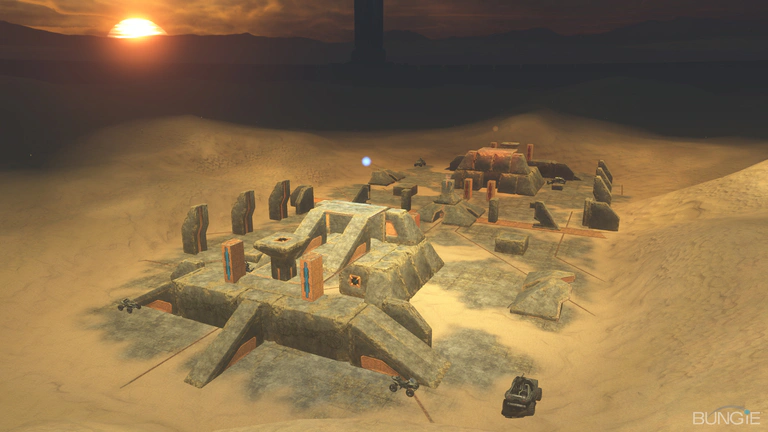
Forge is a game mode originally released in Halo 3 designed by Bungie to allow players to customize, save, and share maps for Custom Games. Forge was originally created to be used by players to make relatively simple changes to maps in order to tweak their gameplay experience. Maps altered in Forge are referred to as map variants, and possible alterations include the modification of player spawn points, gametype objective points, weapons spawns, and the addition of scenery items such as crates, Fusion coils, gravity lifts, teleporters, and various other items - In Forge, players can add items that aren't available in unmodified maps. Halo 3 players proved so resourceful and imaginative with the tools provided to them that Bungie released two maps created specifically with Forge in mind. The scenery and layouts of these maps are almost entirely composed of movable and removable Forge objects. The Halo 3 Heroic map pack introduced 'Foundry' which allowed players a huge amount of freedom in the creation of new maps. The Mythic map pack introduced 'Sandbox', a massive map that is commonly referred to as the ultimate forging map in Halo 3, with three distinct spaces to Forge in, a wide variety of scenery to choose from, every weapon in the game and every vehicle in the game, except for the Sandtrap exclusive vehicle, the Elephant.

The Forge mode in Halo: Reach is often referred to as Forge 2.0.

In addition to functioning as map editor, Forge is also a game-play space. Up to eight players can be on a given map at a time, shifting back and forth between their chosen multiplayer model (Player Mode) and the Edit Mode model (a Monitor) by pressing Up on the D-Pad. A variety of Forge-specific settings can be altered by the party leader while in the Forge Lobby. As an example, players in Edit Mode can be granted more (or less) health and shielding as well as varying levels of Active Camouflage—editors can even be granted near or total invulnerability. There is also a setting that, if enabled, prevents all but the party leader from entering Edit Mode. Players can play actual games in Forge, experiment with Forge's features, kill each other, play diverse and varying 'honor rules' games, and do other things that aren't accepted in regular Multiplayer.
Halo 3 Forge
The tools in Halo 3's Forge proved to be very primitive in terms of allowing players to edit maps. This is because Forge was created originally to allow players to make smaller changes to maps; Bungie did not expect so many creative and amazing maps to be created with the tools they provided.

Object Manipulation
In addition to modifying object spawn locations, Forge can also be used to change the properties of individual objects as well as different types of objects. Pressing X over an item allows a player in Edit Mode to alter that item's settings. Pressing X again allows players to view the settings for all objects of that type. Per-type settings can also be accessed by highlighting the given object's entry in the spawn menus, and then pressing X. An individual object (e.g., a single Gravity Lift) may have its Respawn Rate (which determines how often it spawns) and its Place at Start settings altered. Types of objects (e.g., all Gravity Lifts) may have their Run-Time Minimum and Run-Time Maximum settings altered, which allows mapmakers to ensure that there is always less than or more than a certain amount of a given item during gameplay.
Restrictions
There are some limits when placing items in Forge. The most obvious limit is the set of items permitted in a map—specific items are only allowed in specific maps. As an example, Hornets and Scorpions cannot be placed in The Pit, and Deployable Covers may not be placed in Sandtrap. (The technical explanation is that the tags for certain objects are only present in certain maps. Bungie likely did not place them for balance issues.) There are also varying limits on how many of each item can be placed; while the player can usually place up to thirty-two Frag grenades, the player can only place two Scorpions when they are available on a map.
The amount of items the player can place in Forge is also regulated by an economy budget system. Different objects are assigned to different values. This is to keep the player from overloading maps and using excessive amounts of memory. Deleting items that are already on the map will free up more money for other items. The spending limit is merely a counter to help the player gauge how much they can place on the map at a given time; no real currency is used. The highest encountered budget is located on the map Sandbox, with a grand total of 1,500 credits. However using the budget glitch, the player can go beyond the limit set, to do this make the run time maximum one more than the current amount placed on map. or they can download canvases with the budget glitch already in.
All maps have a maximum limit of 640 items. The 640-item limit behaves somewhat oddly; removing items that are in the map by default does not free up more of the 640 "slots," so when editing large maps like Sandbox, it is best to move all default items to the side instead of deleting them and trying to replace them when they need them later.
Furthermore, Campaign objects, enemies, friendlies and “bots” cannot be added to map variants, and the basic geometry of the map cannot be altered.
Forge Filters
Forge Filters, referred to in-game as FX, are objects listed in scenery which came in the Legendary map pack maps, Cold Storage, and the Mythic map pack that change the camera settings. All the filters are as follows: Bungie has stated that the filters were added for better experiences in gameplay, making interesting screenshots, and for making machinima. The Juicy filter helps with seeing through the Energy Blockers, as does the Old Timey filter.
Should more than one of these filters be spawned at one time, the effects will merge to create an entirely new effect. Combining all of the effects reduces visibility to the point where it is impossible to see.
Juicy - Everything is bright, vivid and colorful. Saturation is increased.
Colorblind - Everything is displayed in grayscale.
Gloomy - Everything is dark, shady, and somewhat desaturated.
Nova - Everything is extremely bright and blurry, though really dark shadows look quite sharp.
Old Timey - Everything looks like an old Western movie—the contents of the screen are displayed in sepia tones and are even given a flickering effect, making the screen resemble an old film projector.
Pen and Ink - Scenes are displayed as if they were drawn using an inkpen. Bright areas tend to look more like a grayscale version of the Nova filter.
Objects
The object selection within Halo 3 is quite large. This includes different props, weapons, vehicles and equipment. By default, all of these objects have Normal physics enabled and can't be turned off. Certain objects also reappear on different maps based on the size of the map and it's style. Other objects are also completely restricted to specific maps, such as all of the building blocks on Sandbox.
Halo: Reach Forge
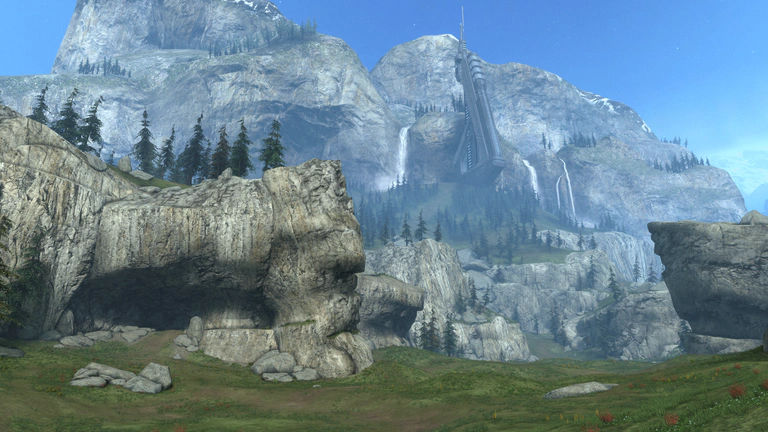
Forge mode returns in Halo: Reach as Forge 2.0, with a variety of updated tools to allow players to more easily edit maps, and of course with a Forge palette which has been updated to include items from the Halo: Reach sandbox. A map designed for players to create their own Forge Map Variants named Forge World is shipped with the game. Maps created by Bungie staff ships with the game as well.
Object Manipulation
Object manipulation in Forge 2.0 has been vastly improved.
• When an object is being held by a player, that player now "orbits" around the object in their grasp rather than having the object "orbit" around themselves (the camera moves around the object rather than the object around the camera).
• Players have the ability to select the physics of an object: normal, fixed or phased. Normal physics makes an object fall to the ground and interact with the world normally as it does in Halo 3. Fixed physics allows players to place an object and have it stay exactly where it was placed - even floating in the air. Phased physics is similar to fixed, but allows players to intersect objects with other objects or map geometry.
• Players have the ability to "nudge" pieces, and the ability to edit an object's coordinates.
• Players can alter the color of some structures and Vehicles to indicate team color.
• A rotation snap has been included, with snap settings at 5, 15, 30, 45 and 90 degrees.
Restrictions
Though Forge 2.0 is vastly improved over Halo 3 Forge, there are still a number of restrictions on what a player may do to edit a map.
• The Forge budget returns to Halo: Reach.
• The limit of number of a particular items placable in Forge mode returns, albeit with some changes. The limit now applies to categories of items; for instance number of walls now applies to walls as a category, with 50 wall objects placable rather than 25 single walls and 25 double walls.
• Forge cannot be used to Forge Firefight maps.
Forge Filters
Some forge filters are limited to Halo: Reach only. Below is a list of the ones that Bungie has confirmed.
• Colorblind - Available in Halo 3 and Reach. It makes the map appear in a Grayscale.
• Next Gen - Available in Halo: Reach and Halo 4. It makes the environment be depicted in only shades of brown.
• Juicy - Available in Halo 3 and Reach. Makes the environment look more vivid, as it increases saturation.
• Nova - Available in Halo 3 and Reach. Makes the outer environment look really bright and blurry, when you are in a cave with this effect on, you won't notice a difference unless you look outside.
• Olde Timey - Available in Halo 3 and Reach. Olde Timey makes the entire map appear to be an old movie.
• Pen and Ink - Available in Halo 3 and Reach. Turns the environment to look as if it was drawn with an ink pen.
• Purple - Available in Halo: Reach only. It turns the environment Purple, thus giving the effect of night.
• Green - Available in Halo: Reach only. It turns the environment Green. Useful for Infection game types, as it makes the environment look scarier. The Green filter also warps the screen slightly as an effect, and it is the only filter whose effects can be intensified by placing multiple copies.
• Orange - Available in Halo: Reach only. It turns the environment orange, thus giving the effect of a sunset.
Halo 4 Forge
Forge returns in Halo 4, which, like in Halo: Reach, received many updates and news tools to make forging much easier for players. It was first announced at RTX 2012 where 343 Industries presented a demo of Halo 4's Forge mode.
Changes
There are a couple of new features including:
However, Halo 4 arrived with a couple of features removed that were previously in Halo: Reach. Editors can no longer zoom in (using the right thumbstick), which was featured in both previous forge modes. Another feature which was introduced in Halo: Reach that didn't make it to Halo 4 was the precision editing tool - by holding down the left thumbstick, the editor could move minute distances in order to make changes smaller than one co-ordinate.
Objects become highlighted when selected
"Magnet" system has been introduced
"Lock" feature is now present
Duplicate feature
Three new Forge World-like maps
Addition of new objects as well as older ones returning
Dynamic lighting
Gravity volumes
Trait zones
Setting a theme for a map
The sounds of the monitor and the momentum of movement for the monitor were also changed.
Environments
Similar to the Forge World map featured in Halo: Reach, Halo 4 launched with three "Forge Environments" for players to build their own maps within: Impact, Ravine and Erosion. Each environment features its own unique atmosphere and object pallets. On April 11, 2013, a fourth Forge Environment Forge Island became available for free download by all players
Objects
A full list of the items in Halo 4's Forge can be found here.
Halo 2: Anniversary Forge
The Master Chief Collection contains the Halo 2: Anniversary Multiplayer with six remastered maps, and three skybox maps. All Of these maps can be forged in.
Changes
Some additions to Forge are:
Terrain is now a placeable object with its own palette.
Precision Movement has been added into controls.
More weapons not in original Halo 2 multiplayer. This includes the Silenced SMG and the Assault Rifle.
More vehicles not in original Halo 2 multiplayer. This includes the Heretic Banshee, the Civilian Warthog, and the Gungoose.
Forge now has the capability to "script" objects.
Budget has been removed and replaced with an overall object count.
A performance meter was added to the top of the screen, to show how the amount of content in a single map can affect performance of the console.
Switches and triggers have been added, allowing players to open garage doors, spawn objects, etc.
Environments
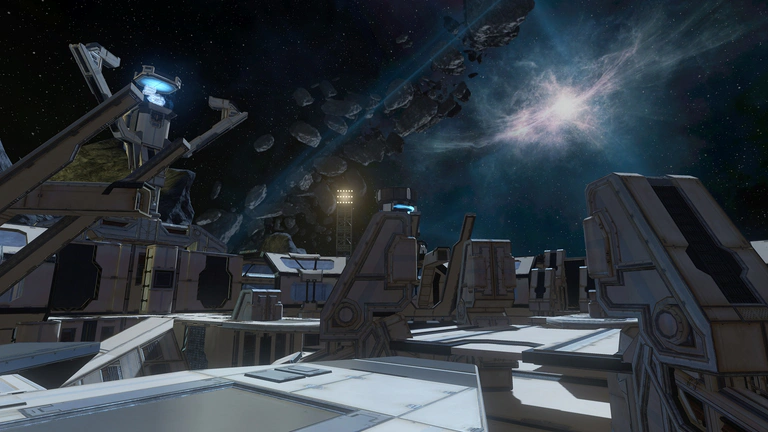
Halo 2: Anniversary features three Forge Environments: Nebula, Awash, and Skyward. Nebula and Skyward are both free floating environments. As such they don't have any permanent floor, so a Forge user will have to add one themselves. As well, both use skyboxes from other maps. Nebula uses a slightly altered version of Impact's skybox and Skyward uses Zenith's. Awash is a completely original map with a solid floor underneath water.
Halo 5: Guardians Forge
Forge came to Halo 5 in December of 2015 in the Cartographer's Gift DLC. As well, Halo 5's Forge was ported to Windows 10 computers in Halo 5: Forge.
Changes
Some changes and additions to Forge are:
• The ability to weld certain objects together.
• Players can now place a variety of objects never before seen in Forge. As well, there are no map restrictions to any objects.
• The ability to add weather effects such as rain, snow, or fog.
• Addition of Fx such as fire, smoke, explosions, and insects.
• Sounds such as machinery, alarms, nature, and horror.
• Chroma screen objects.
• Bars and counters have been added to the HUD to help monitor lighting budget, object budget and console processing power
• Most controls have been changed to compensate for the new features
Environments
Halo 5: Guardians currently features the most Forge environments out of any Halo game yet. These are: Alpine, Breakout Arena, Glacier, Parallax, Tidal, Barrens, and Depths. All but two maps, Depths and Breakout Arena, have modifiable skyboxes that affect weather and time of day. Parallax and Tidal are the only two maps without a solid, permanent floor. Each map, except Breakout Arena, has a series of objects in the natural section dedicated to each map. Breakout Arena would use props from the Breakout section. There are no restrictions preventing props that are related to a different map, from being placed on another. Meaning the asteroid themed props from Parallax can be placed on Tidal should a player so choose. Present in the template maps are special pillars, triplets of pillars, and large diamonds designed to remind the player of where the hard-coded kill boundaries are present. They appear only in Forge, but objects can be placed at their positions to substitute them in main games, especially with flying vehicles.
Internal
Forge Projects
Forge Tricks
External
Forge
Forge Demonstration Video
Bungie Article : "What is the Forge?"
Sources
Adapted from the original article, under CC BY-SA 3.0.